


 EN
EN
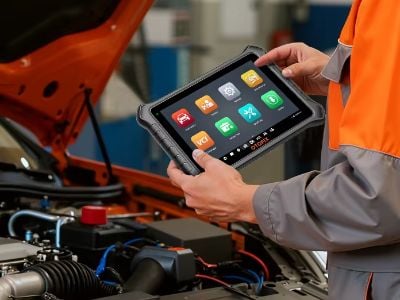
Diagnosing vehicle problems doesn't have to be complicated. The Launch X431 is a powerful diagnostic tool that helps mechanics and vehicle owners quickly identify faults across multiple vehicle systems. By communicating directly with your car's onboard computer, it provides accurate diagnostic information that makes troubleshooting faster and more efficient. At Lenkor, we understand how important it is to keep your vehicle running at its best, which is why the Launch X431 is designed to simplify the diagnostic process while helping users detect problems before they become costly repairs
What Is the Launch X431 Comprehensive Diagnosis Procedure
The Launch X431 AUTEL comprehensive diagnosis procedure is a systematic process that identifies faults throughout a vehicle's major systems, including the engine, transmission, ABS, airbags, battery, and other electronic control modules. After connecting the device to the vehicle's OBD-II port, the Launch X431 communicates with the onboard computer to retrieve diagnostic trouble codes (DTCs), monitor live data, and evaluate system performance. If warning lights such as the check engine light appear, the scanner pinpoints the source of the issue, whether it involves a faulty sensor, ignition component, emissions system, or another malfunction. This comprehensive approach eliminates guesswork, allowing both professional technicians and vehicle owners to accurately determine what needs attention while saving valuable time and preventing more expensive repairs in the future
How to Use the Launch X431 for Vehicle Diagnostics Effectively
Using the Launch X431 OTOFIX effectively begins by connecting the scanner to the vehicle's OBD-II port, usually located beneath the driver's side dashboard. After switching the ignition to the "ON" position without starting the engine, power on the device and select the appropriate vehicle manufacturer, model, and year to ensure accurate communication with the vehicle's systems. The scanner will then perform a full system scan, identifying any stored or active fault codes within a few minutes. Once the scan is complete, review the diagnostic results, interpret the trouble codes using the built-in descriptions or the user manual, and determine whether professional repairs or simple maintenance are required. Performing regular diagnostic scans with the Launch X431 allows users to identify minor issues early, helping maintain vehicle reliability and reduce long-term maintenance costs
How to Maximize Your Launch X431 Tool Performance
To get the best performance from your LAUNCH X431, it is important to keep the device updated with the latest software and vehicle database releases provided by the manufacturer. Regular updates improve compatibility with newer vehicle models, enhance diagnostic accuracy, and introduce additional functions. Users should also become familiar with the scanner's advanced features, including live data monitoring, actuator testing, service reset functions, and system calibrations, by carefully reviewing the user manual and practicing on different vehicle models. Keeping detailed records of previous diagnostic reports and repairs can also improve troubleshooting efficiency over time. By combining regular software updates, continuous learning, and proper maintenance, the Launch X431 remains a reliable diagnostic solution for both professional workshops and individual vehicle owners
How Does the Launch X431 Compare with Other Diagnostic Tools
The Launch X431 stands out from many other diagnostic scanners because of its broad vehicle compatibility, extensive diagnostic capabilities, and user-friendly interface. Unlike entry-level scanners that support only basic code reading or a limited number of vehicle brands, the Launch X431 works with numerous domestic, Asian, and European manufacturers while providing comprehensive system diagnostics beyond the engine alone. Its intuitive touchscreen interface and easy-to-navigate menus make it suitable for both beginners and experienced technicians. In addition to reading and clearing fault codes, it offers advanced maintenance functions such as oil reset, EPB reset, battery registration, TPMS services, injector coding, and key programming support on compatible vehicles. These features make the Launch X431 a versatile and cost-effective solution for modern vehicle diagnostics
Troubleshooting Common Launch X431 Issues
Although the Launch X431 is designed for reliable performance, users may occasionally encounter operational issues that are usually easy to resolve. If the scanner fails to communicate with the vehicle, first verify that the connector is fully inserted into the OBD-II port and that the vehicle's ignition is switched on. Restarting the device can often resolve temporary software glitches, while installing the latest firmware updates helps eliminate compatibility issues with newer vehicles. If trouble codes remain after repairs, clear the codes again and perform another system scan to confirm that the underlying problem has been completely resolved. Battery voltage should also be checked, as low voltage can interfere with diagnostic communication. If problems continue despite these steps, contacting Lenkor technical support can provide additional troubleshooting assistance, ensuring your Launch X431 continues to deliver accurate and dependable vehicle diagnostics.